The Main Differences between WordPress and Blogger
The Main Differences between WordPress and Blogger
To help you decide whether you should choose WordPress or Blogger, here are the main areas you’ll want to consider.
1) Cost
When it comes to cost, Blogger is hard to beat — it really is a free service. If you want to register a domain name for your website, such as WinningWP.com, you can do so for around $10, but this is optional, and you can always stick with the default URL that’s assigned to your blog, such as http://WinningWP.blogspot.com/.
Although the WordPress software is free to download and use, there are some costs involved in running a WordPress website. First, you’ll need a domain name for your website. Prices for a .com domain are usually around $10 per year. Next, you’ll need to choose a web host (here are a few recommendations) that will make your website available to internet users.
Entry-level shared web hosting can be had for a few dollars per month, and some hosts may even throw in a free domain name for new customers. However, if your website takes off and becomes popular or an integral part of your business, then you’ll probably need to upgrade to more robust hosting. Prices for professional web hosting typically start at around $25 a month.
Once you have a domain name and web hosting account, you can start thinking about buying a commercial WordPress theme and plugins (which we’ll cover in more detail later). However, if you’re just starting out, you can make do with a free theme and plugins. When the time is right, you can expect to pay up to $100 for a high-quality WordPress theme, and a few hundred dollars for commercial plugins, depending on your needs.
Verdict: With no financial investment required to start a website with Blogger, it’s the clear winner here.
2) Getting Started
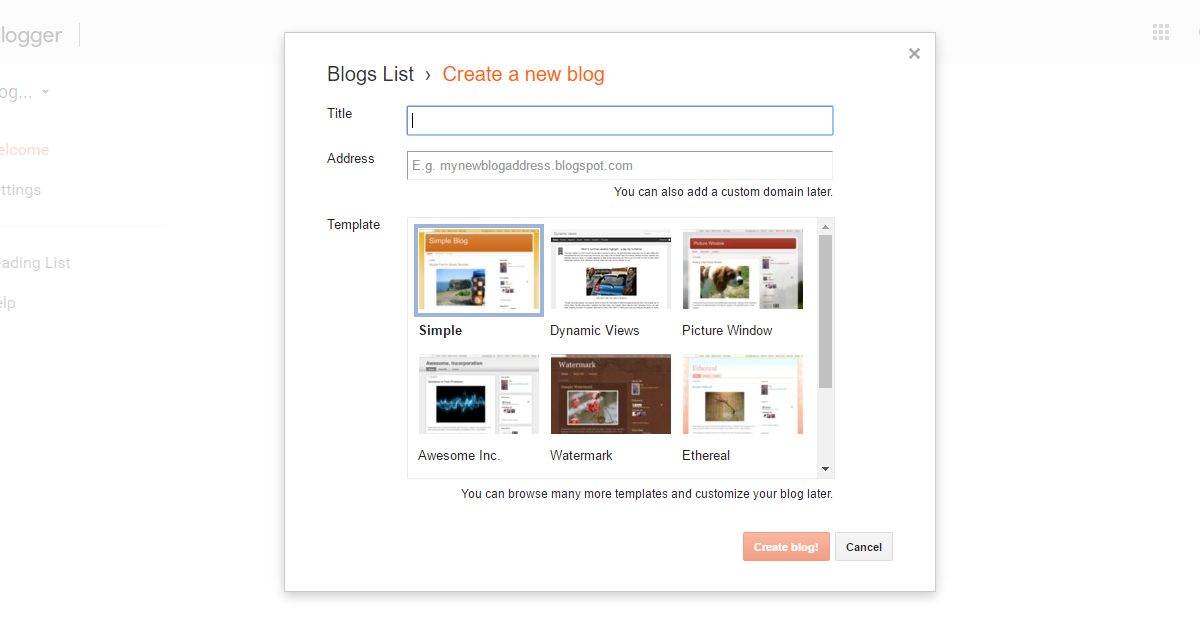
Blogger makes it quick and easy to start a new blog
Anyone can sign-up with Blogger and start a blog. If you’re already registered with Google — with a Gmail or Google Drive account, for example — then it will only take a few clicks to begin. If you don’t have a Google account, then the sign-up process will take a little longer, but, either way, you can have a new blog online in a matter of minutes. With Blogger, you also have the option of creating and managing multiple blogs through one account.
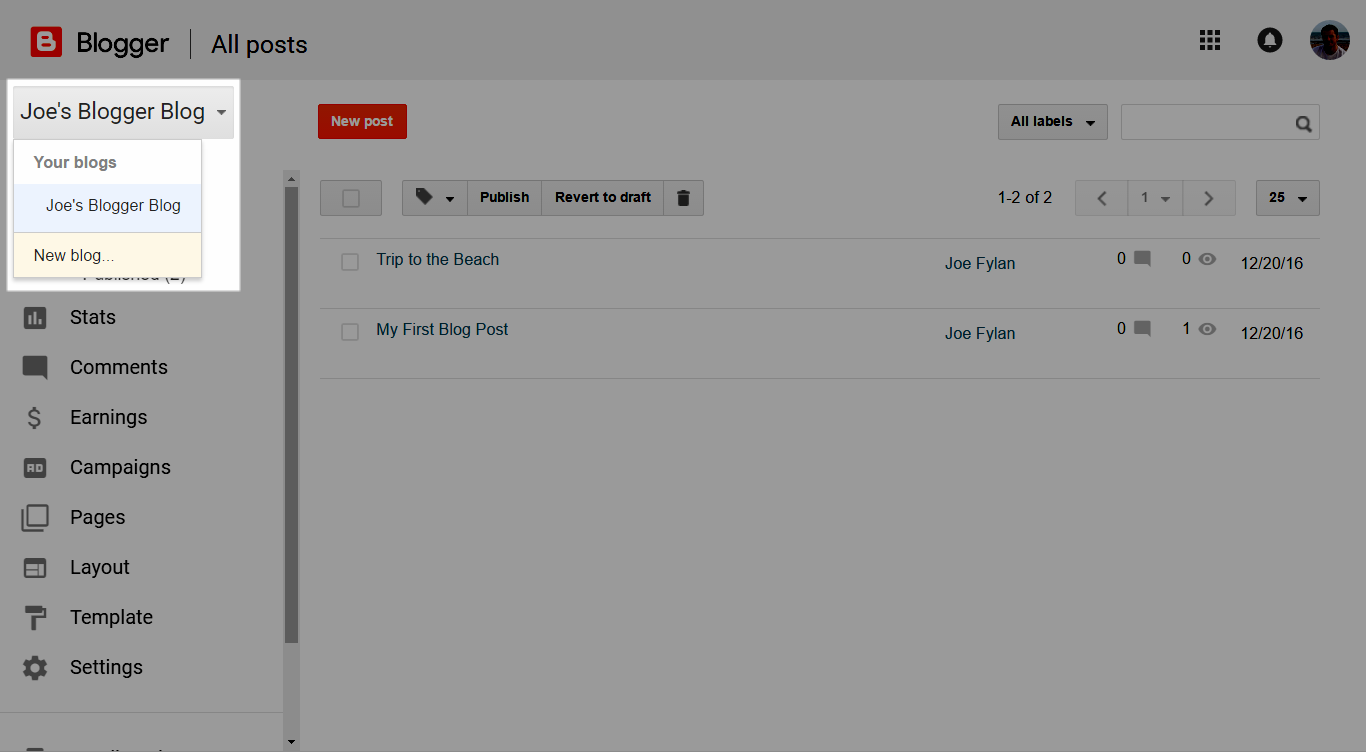
Create and manage multiple Blogger websites with one account
Compared with Blogger, getting started with WordPress isn’t quite as straightforward. As mentioned, you’re responsible for hosting your WordPress-powered website, so you’ll need to choose a web host and register a new domain name. Registering a domain name and signing up with a web host should only take a few minutes. However, new domains can sometimes take a few hours to actually go live.
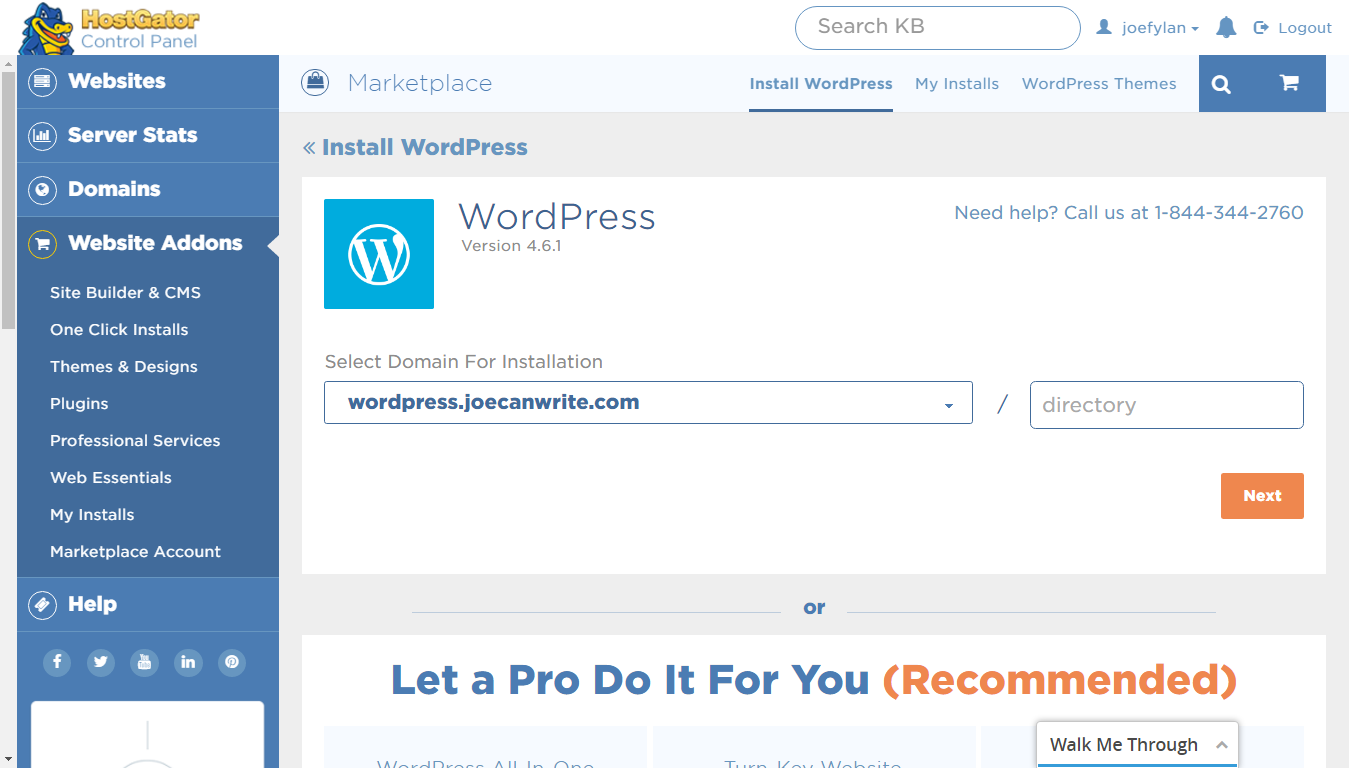
Many web hosts, such as HostGator, make it very easy to install WordPress
Once your web hosting account is activated, you’ll need to install the WordPress software. Some web hosts will take care of this for you when setting up your account, but, even if they don’t, in most cases, you’ll be able to install WordPress in just a few clicks through your web host’s control panel.
Verdict: Blogger wins here, because everything’s provided for you in one place, in just a few clicks.
3) Configuring Your Website and Publishing Content
Once you’ve created your Blogger site, it’s time to familiarize yourself with your new blog and start publishing content. As with WordPress, you work in the dashboard area of your website, while your visitors access the front end of your site.
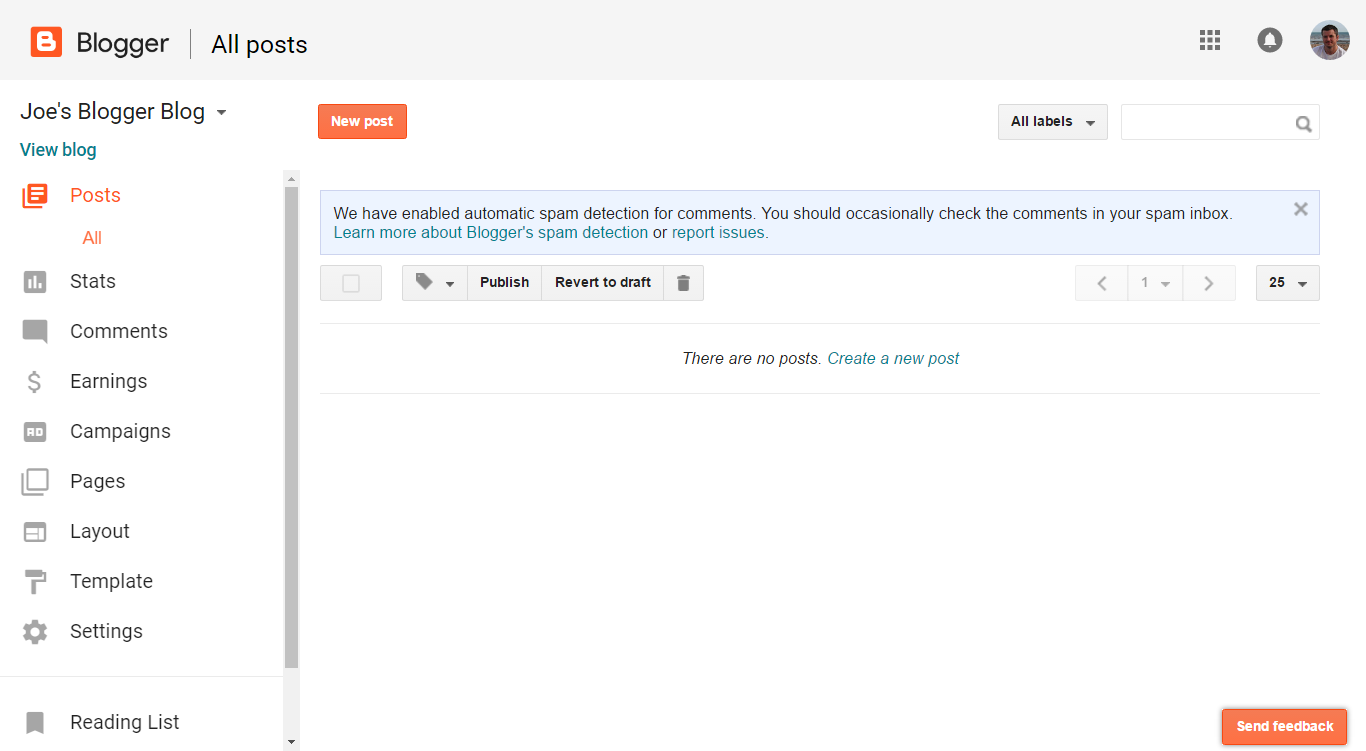
The Blogger dashboard
If you want to change the title and description of your blog, you can head to the Settings area of the dashboard. You can also change the URL or address of your blog here.
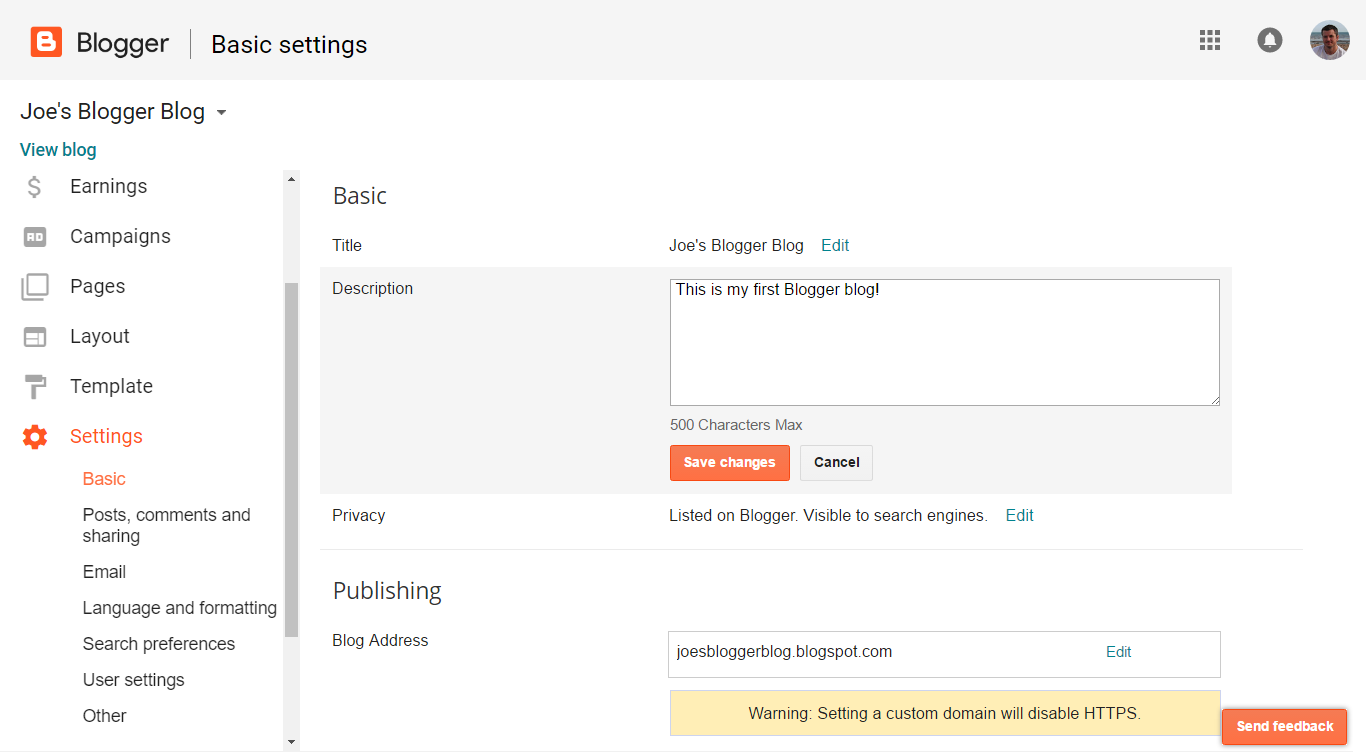
Settings for your Blogger blog
The quickest way to get started with Blogger is to leave all the settings in their default configuration and just create your first blog post. However, if you’re curious, you can find settings covering how many posts to display on the homepage of your blog, which language to use, and which time zone and formatting to use for dates and times. You can also add authors to your blog by entering their email address and sending them an invitation.
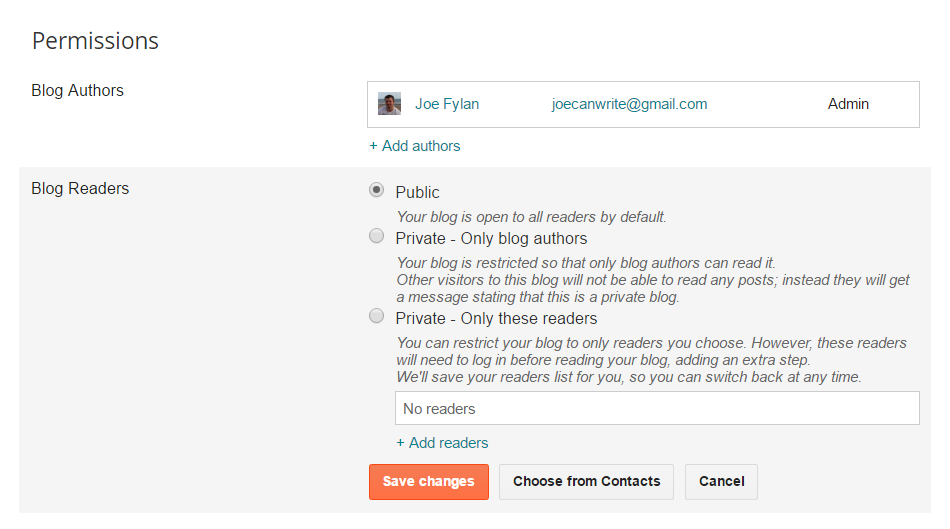
Manage who can access your Blogger site and in what capacity
Like WordPress, Blogger gives you the ability to publish posts and pages on your website. Pages are good for publishing evergreen content, such as your contact details or an about page, while posts are ideal for publishing timely and news-type content.
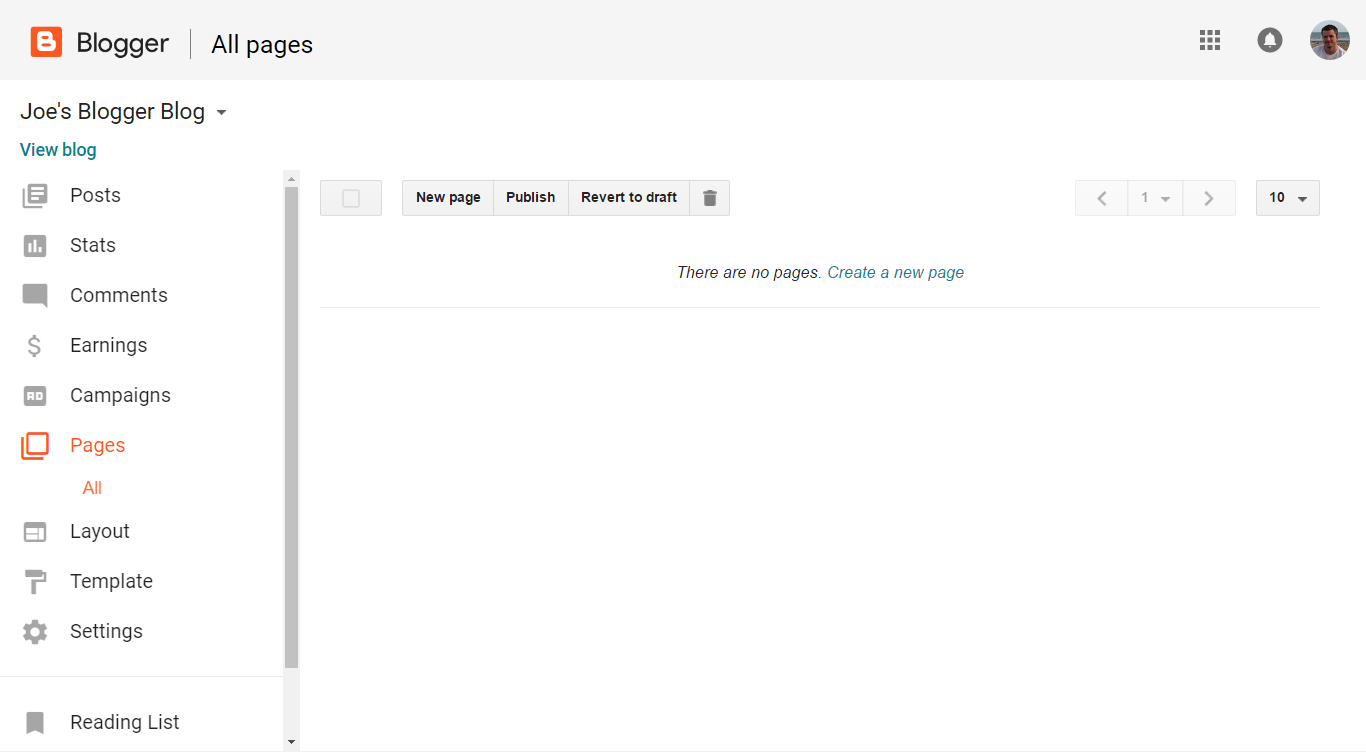
The Blogger page management area
To get started, you’ll probably want to create an about page to introduce visitors to your blog. To do this, click on Pages from the sidebar menu, and click the New Page button to create a page.
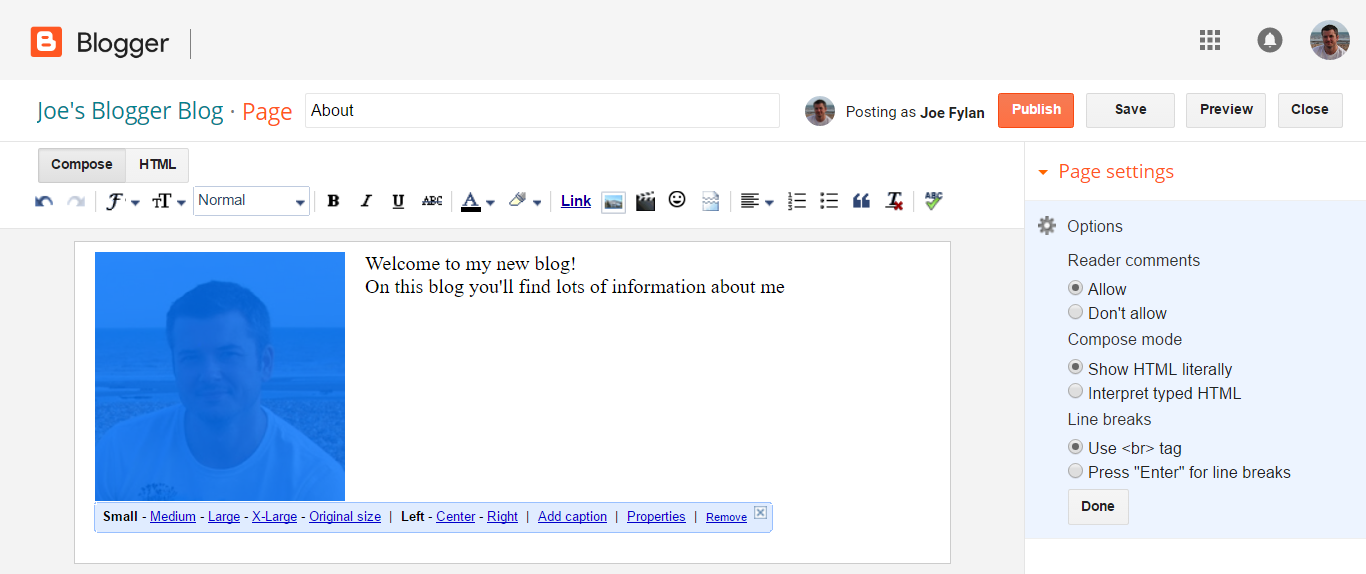
The Blogger visual post and page editor
WordPress and Blogger use a similar editor for creating posts and pages — you can enter your content through the WYSIWYG editor and carry out basic formatting through the controls. For more control over the appearance of your content, you can switch to the HTML view in both Blogger and WordPress.
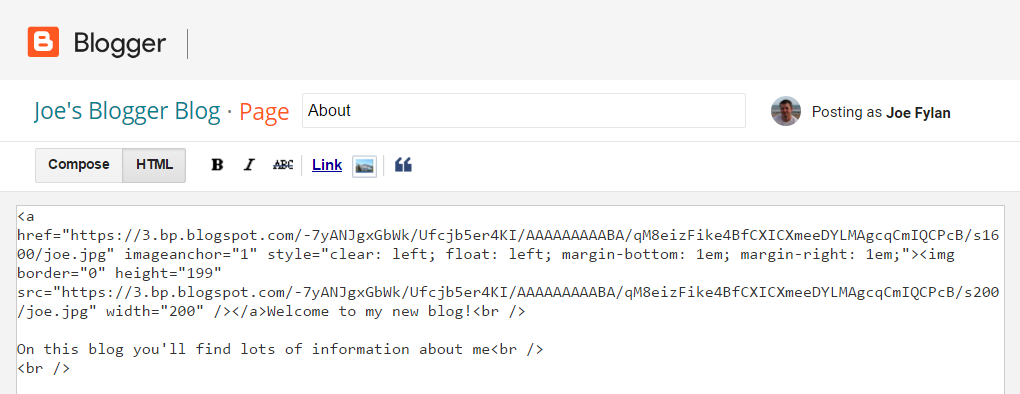
The HTML view of the Blogger post and page editor
Both Blogger and WordPress make it easy to preview your content before you publish it, allowing you to see how posts and pages will appear to visitors. Once you’re happy with your post or page, you can publish it on the internet for all to see.
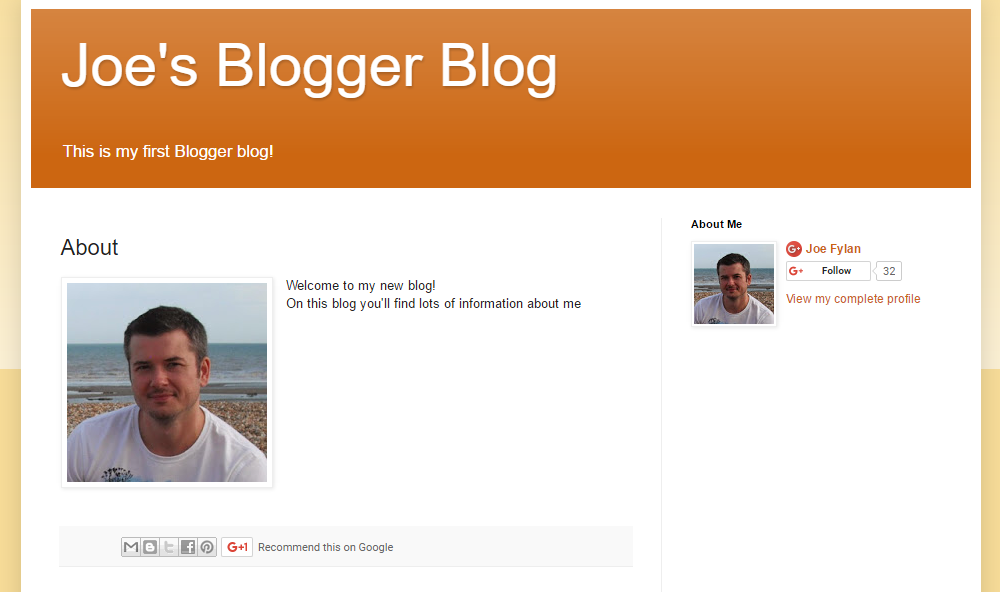
A published page on a Blogger website
Blog posts can be published in the same way as pages, and, once you’ve added content to your new Blogger website, the posts and pages can be managed through the corresponding area of your dashboard.
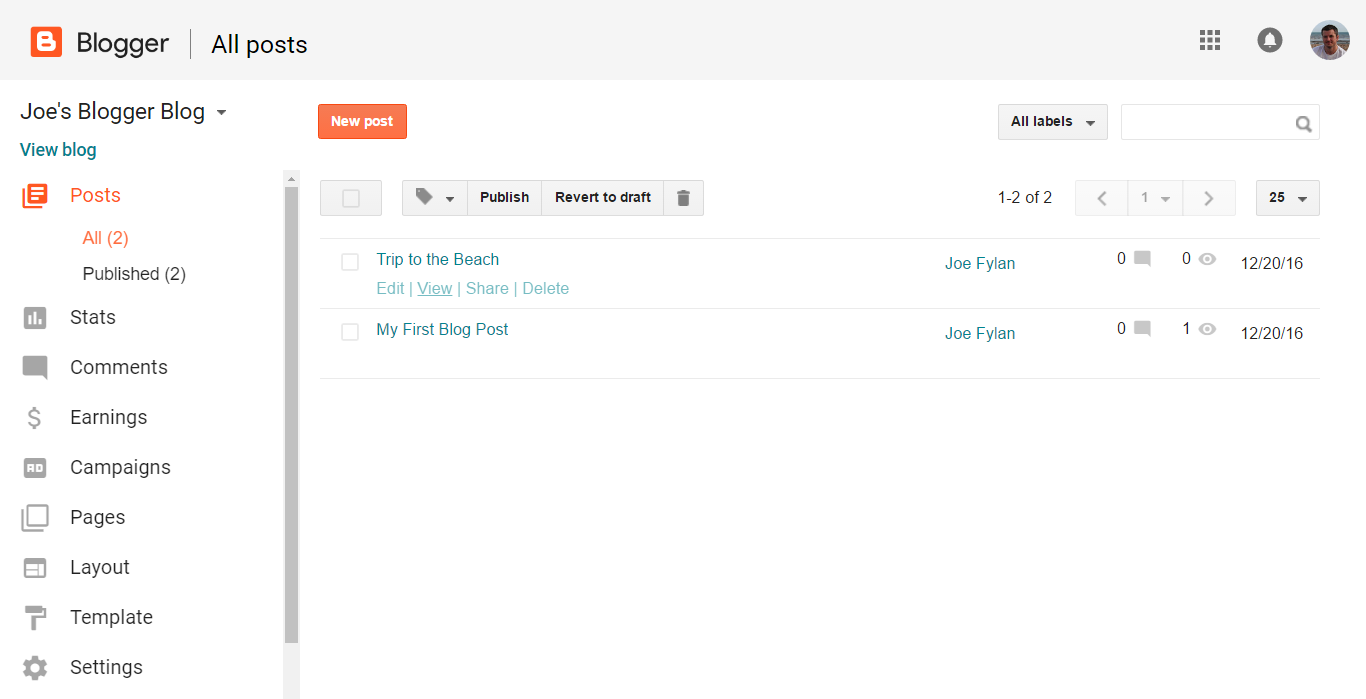
View and manage your Blogger site’s content.
With Blogger, by default, new posts are displayed on the homepage of your website, with the latest post displayed first.
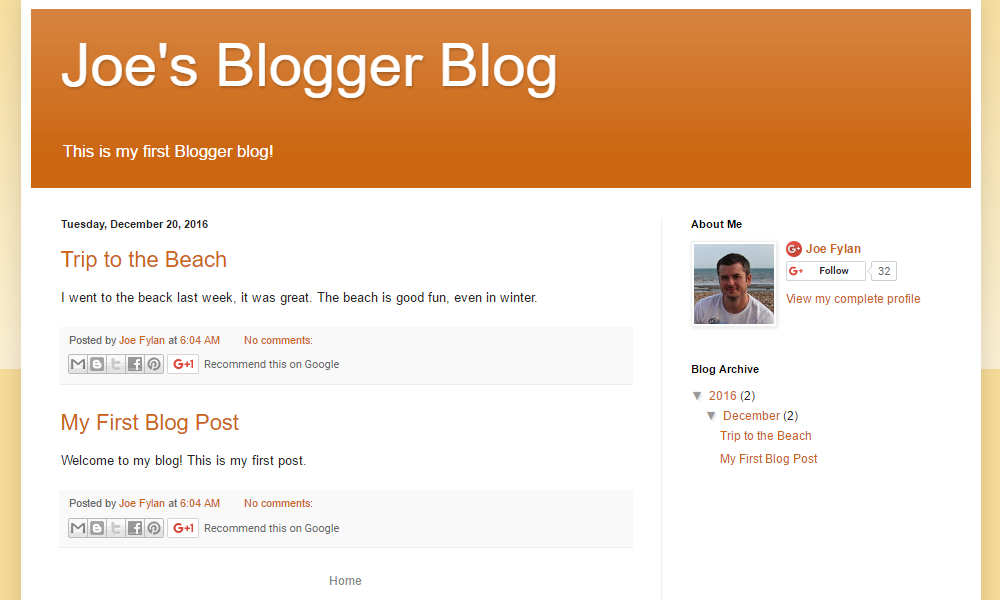
The default Blogger homepage configuration, displaying the latest posts
Once WordPress has been installed, you’ll be able to log into your new website. Like Blogger, the WordPress dashboard is the protected area that only you and those you’ve granted access to can use to manage your website and create content.
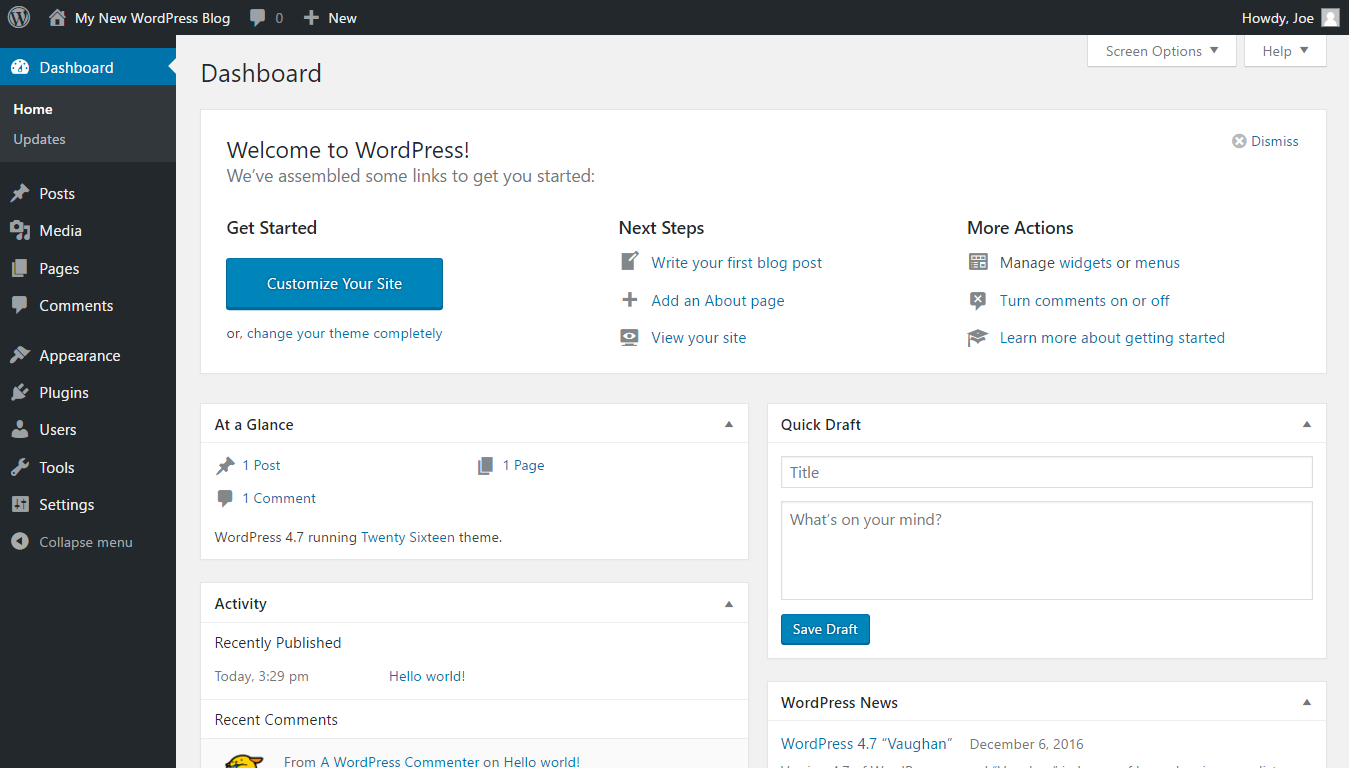
The WordPress dashboard
WordPress posts and pages can be created in the same way as with Blogger. However, with WordPress, you’ll notice there are more settings and options at nearly every step. When creating a new post, for example, you can choose a post format to determine how the content will be presented. Unlike Blogger, which only lets you label your posts, WordPress gives you the ability to tag and categorize your posts to help group and describe your content better.
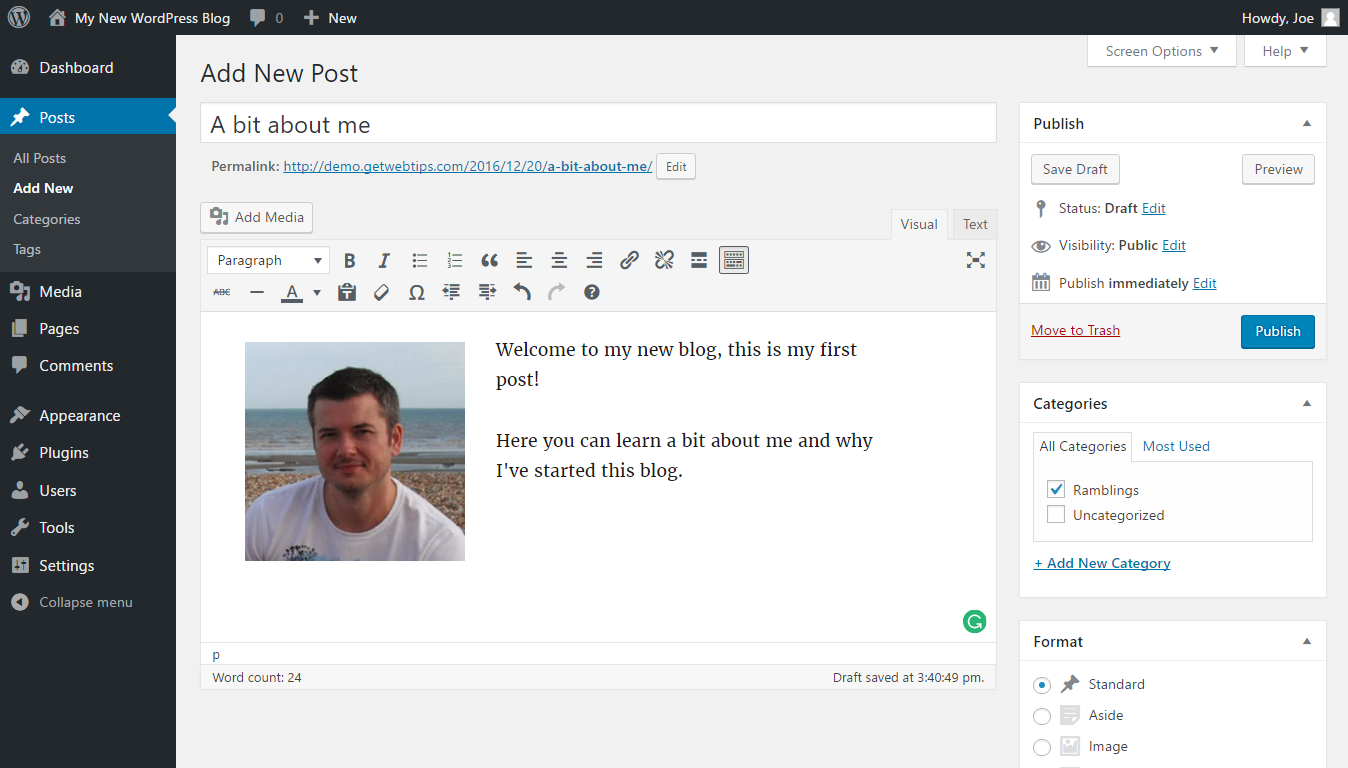
Using the WordPress Editor to create a post
As you can see, the WordPress Editor uses a similar layout and format to Blogger. You can save a draft of your post or page, preview it, and, when ready, publish it to make it available online.
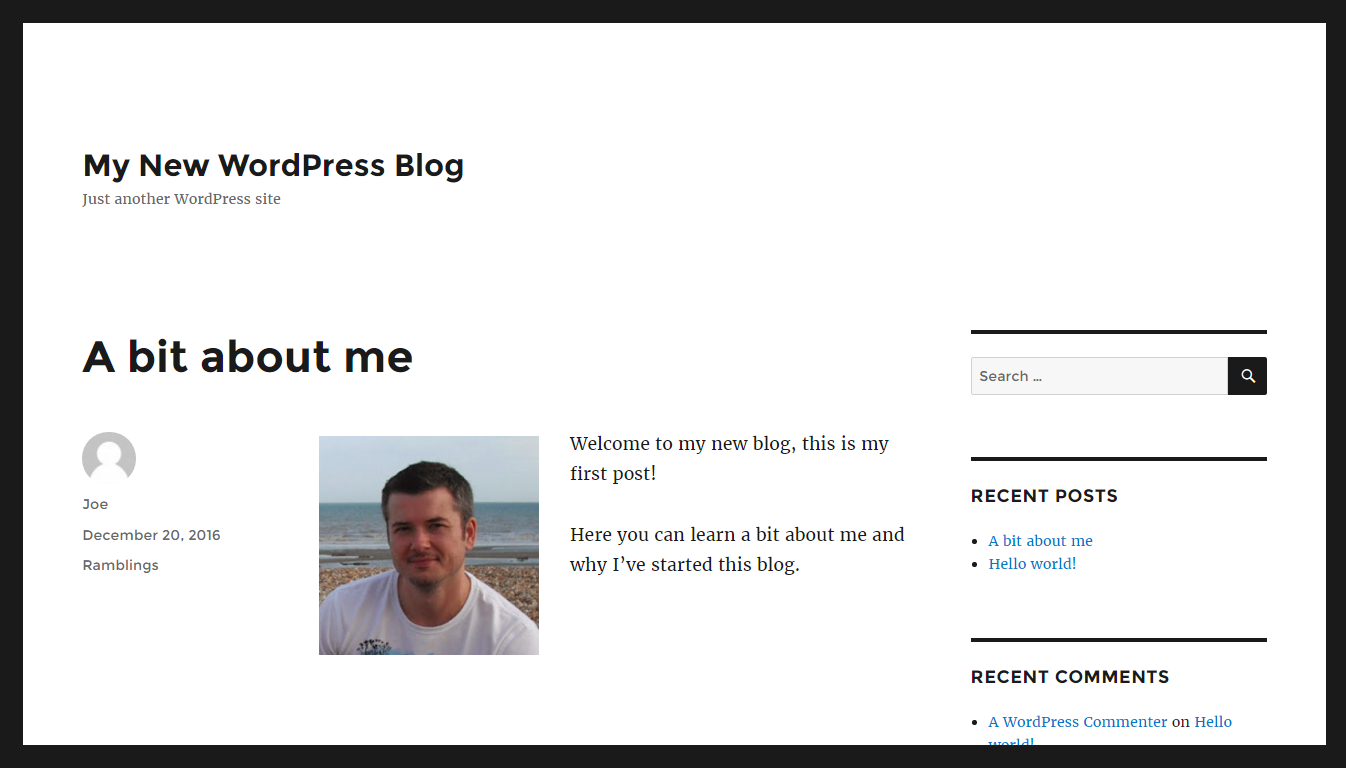
A published WordPress post
Changing the title and tagline of your WordPress site takes place through the General Settings in much the same way as Blogger.
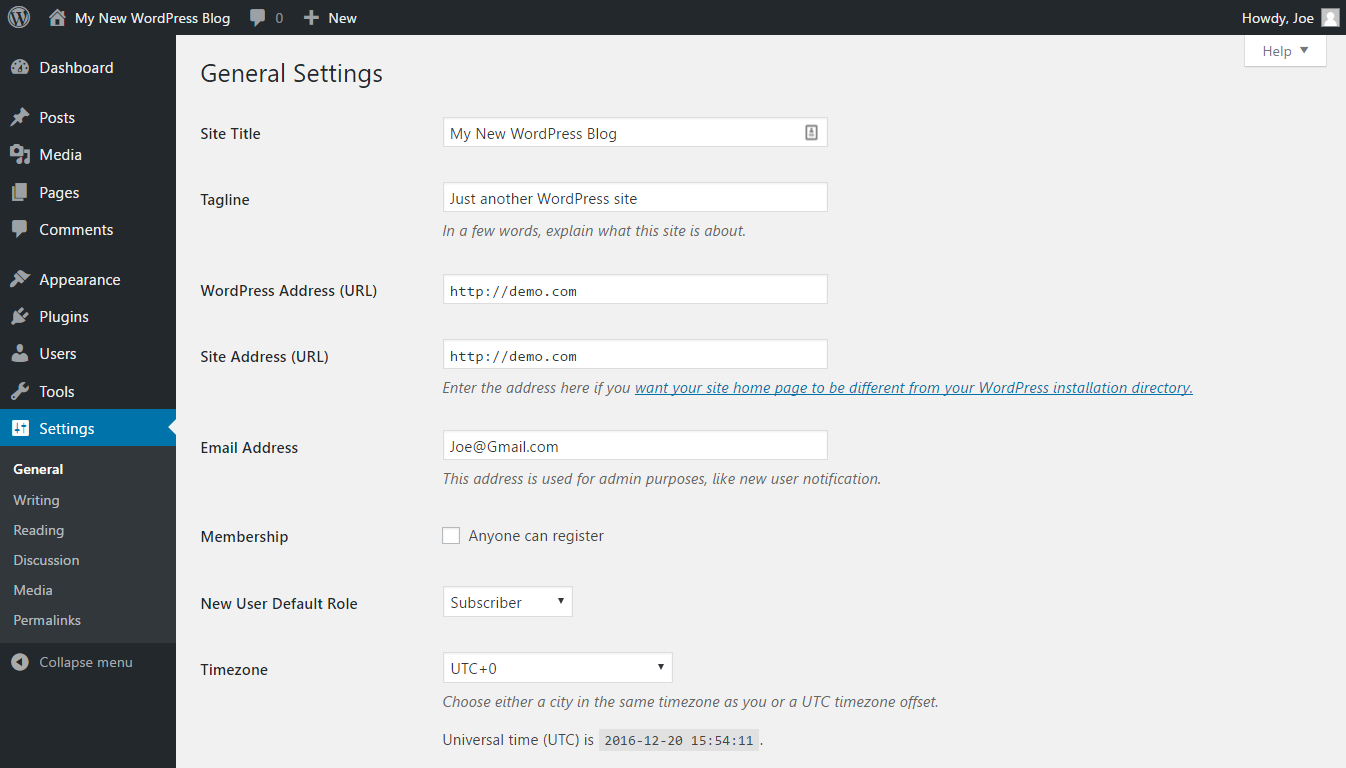
The General Settings for a WordPress website
Additional user accounts can also be created for your WordPress website. Unlike Blogger, WordPress has a number of roles that control what level of access users have to your site. This makes it easy to create an account that only allows a user to create new posts, rather than an account that allows the user to edit existing content and make changes to how your site looks and functions.
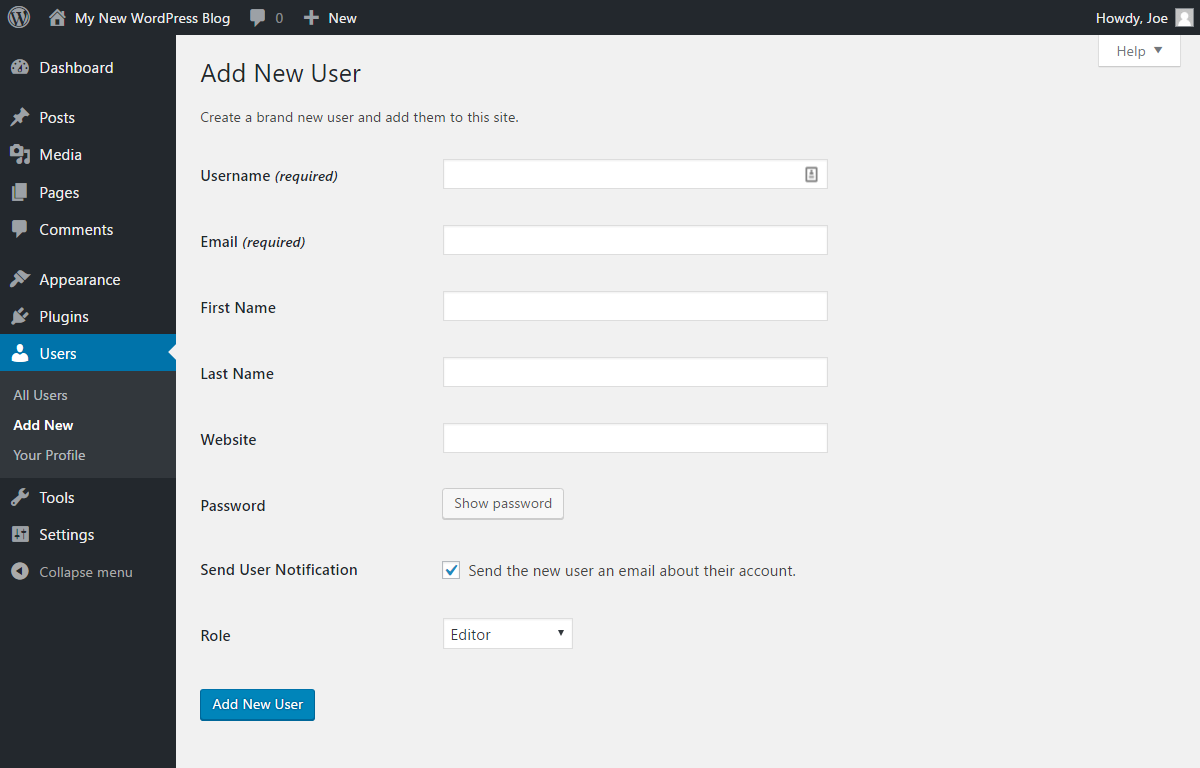
WordPress makes it easy to grant users different levels of access to your site
Verdict: When it comes to publishing content on your blog or website, both options take a similar approach. However, publishing with Blogger is more straightforward, while WordPress gives you more options. Either work well for collaborative projects.
4) Customization Options
In terms of customization options, WordPress is miles ahead of Blogger. Simple things, such as displaying a page on the homepage of your website, rather than your latest blog post, is incredibility straightforward with WordPress and surprisingly long-winded with Blogger.
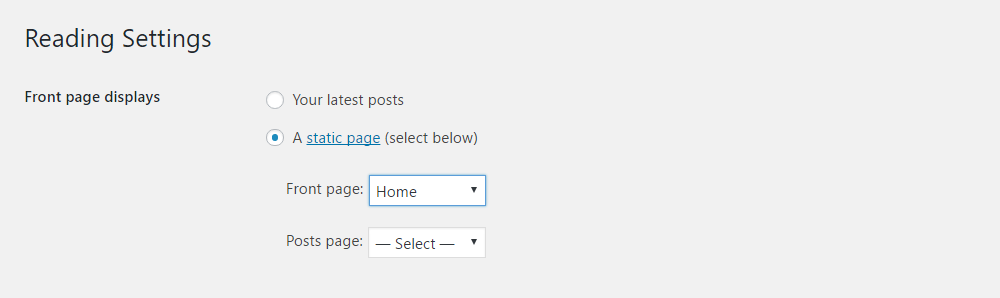
WordPress makes it easy to choose which content is displayed on the front page of your website
If you want to create a more traditional website, rather than a blog, the WordPress controls make it much easier to use a static homepage and display your blog posts elsewhere on your site.
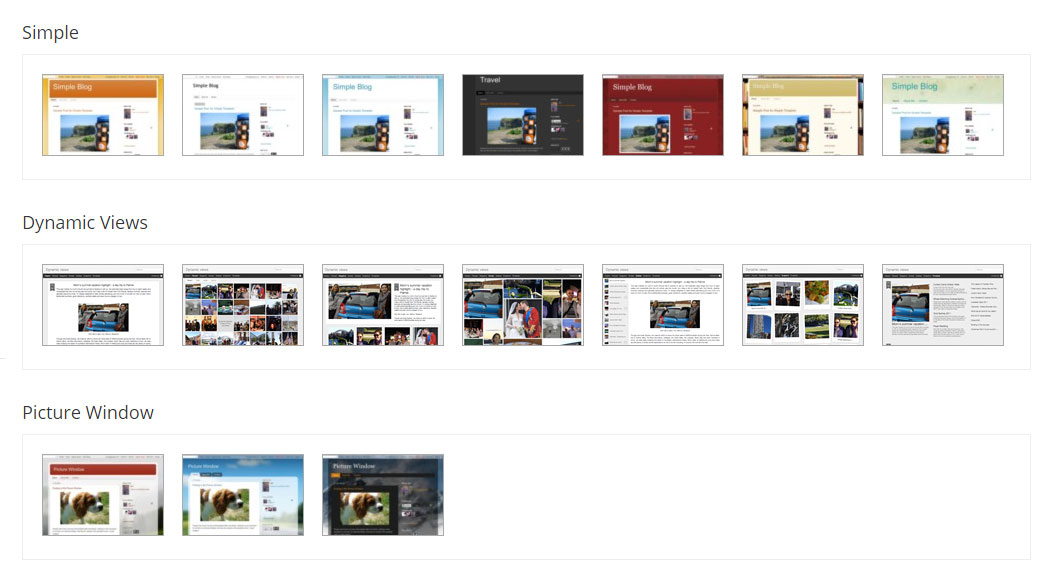
There’s only a small selection of templates for Blogger users to choose from
However, where WordPress really comes into its own is with the various themes and plugins available. With Blogger, you get a few official templates to choose from, as well as a selection of third-party templates that will change the appearance of your website. With WordPress, there are thousands of designs to choose from.

Comments
Post a Comment